iMin Hardware for Your POS, Kiosk & Kitchen Display
One family of hardware, from the counter to the kitchen.
iMin makes the Android POS terminals, self-ordering kiosks and kitchen screens we recommend for mypreorder. The Swan 2 prints on its own printer and shows your customer their order, the Heron 1 takes orders on its own, and the Penguin stands up to the kitchen.
The iMin Range We Recommend
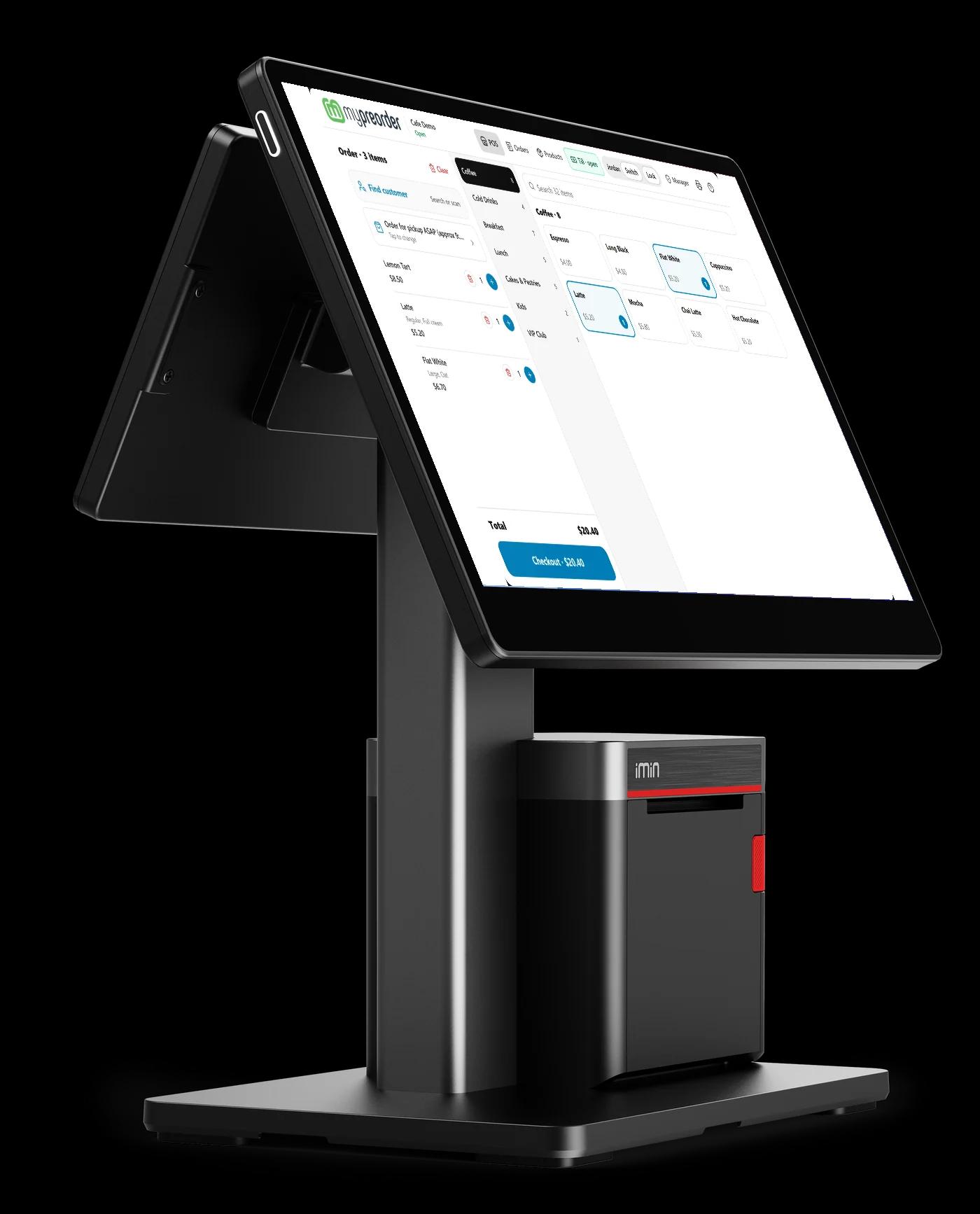
Swan 2 POS
At the counter
A 15.6" touch screen with a built-in 80mm printer and a 10.1" customer display.
Heron 1 Kiosk
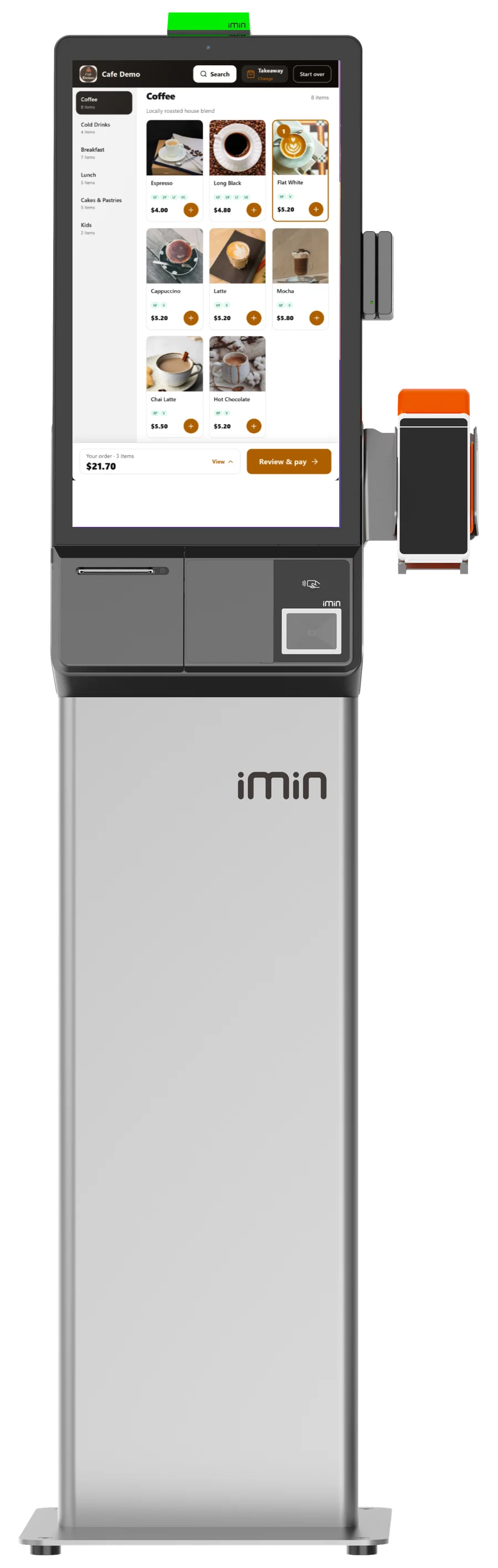
For self-ordering
A 23.8" portrait touch screen on a floor stand, a table stand or the wall.
Penguin Kitchen Screen
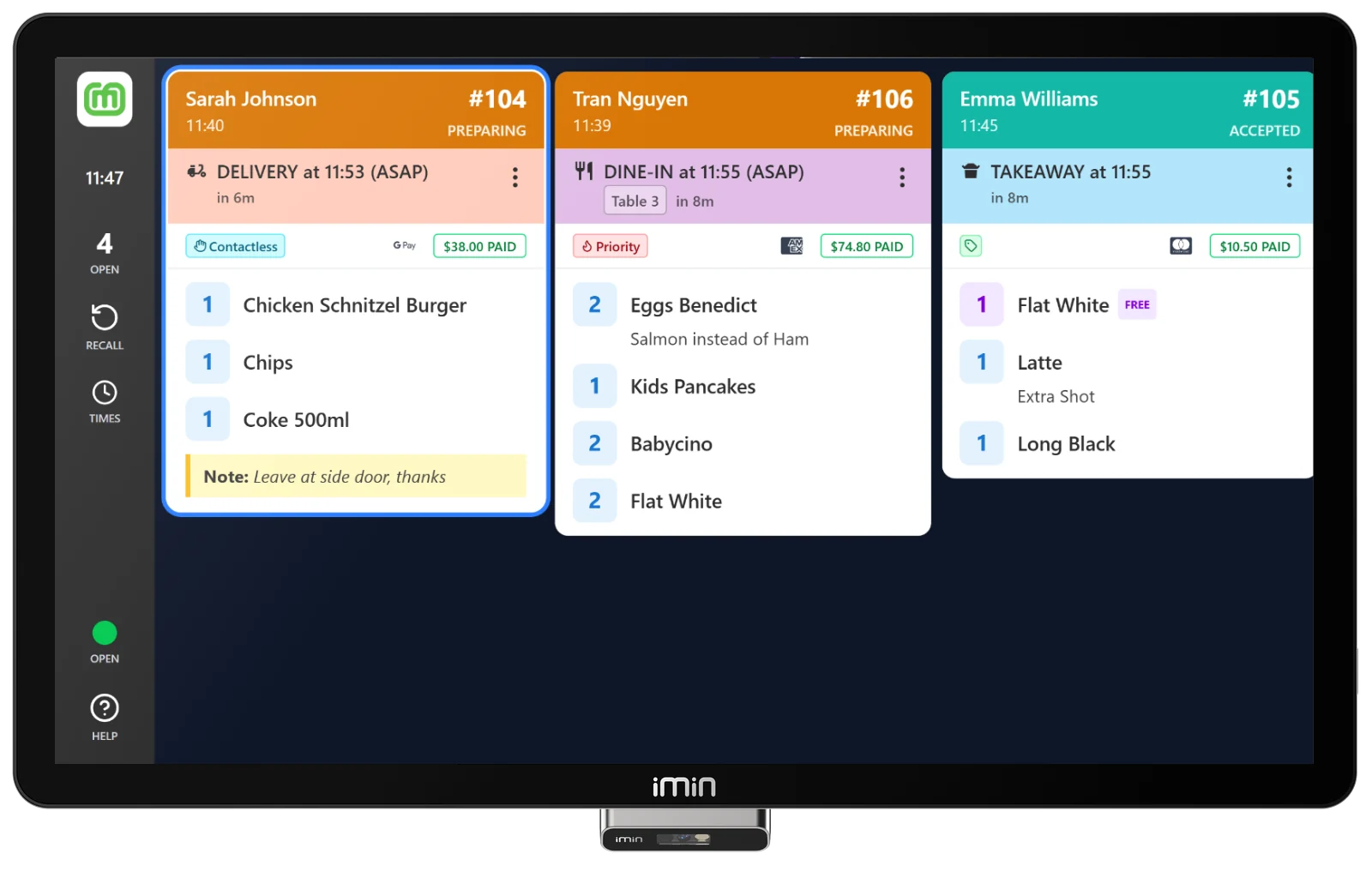
In the kitchen
A stainless-steel, IP65 screen in 21.5" or 15.6", made for heat, grease and splashes.
iMin Swan 2: The Counter, Done
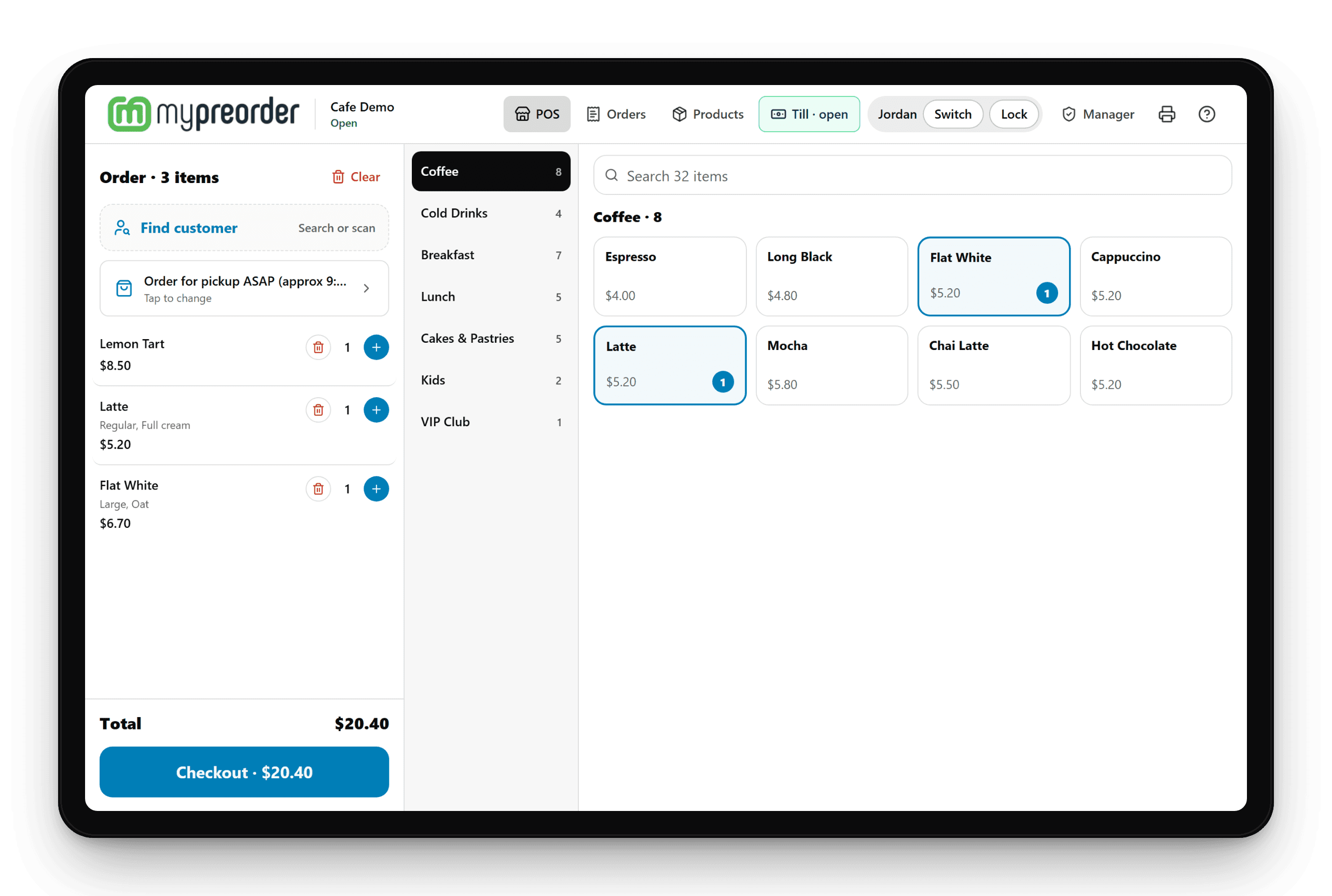
The mypreorder POS app on an iMin Swan 2 needs nothing else at the counter but your EFTPOS terminal and a cash drawer.
- Its own 80mm printer. Dockets, tax invoices and X and Z reports print on the Swan as you take the sale, and online orders print as they come due while the POS is open.
- A customer display. Your customer watches their order build, with discounts, rewards and the total, then sees what they're paying and their order number.
- Loyalty cards. The customer display invites customers to scan the loyalty card in their app, and greets them by name once they do.
- The cash drawer. Plugs into the Swan and opens for cash sales, refunds, No sale, Paid in and Paid out, never for card.
- Your EFTPOS terminal. Card payments go to your terminal through Linkly Cloud and come back approved.
Setting one up? See Set up the built-in printer on an iMin Swan 2.
iMin Heron 1: Self-Ordering That Stands On Its Own
A 23.8" portrait touch screen for the mypreorder kiosk. Customers order and pay without queuing, and every order goes straight to your kitchen.
- Floor, table or wall. A 1.7m floor stand, a table stand or a wall mount, with a front that resists dust and splashes.
- Pay at the kiosk. Customers tap their card on your EFTPOS terminal at the kiosk, through Linkly Cloud.
- Receipts. Print on a Star or Epson printer beside the kiosk, or customers just take their order number from the screen.
- Your menu, your way. The same menu, photos, options and specials as your online ordering.
iMin Penguin: A Kitchen Screen Built for the Kitchen
Stainless steel, sealed to IP65, with a touch screen that works with gloves and greasy hands. The mypreorder Kitchen Display runs on it all service.
- Made for heat and splashes. IP65 throughout, rated from -10 to 50°C, in 21.5" or 15.6" for the wall, the counter or an arm.
- On when you are. The Kitchen Display can open by itself when the screen starts, and keeps the screen awake.
- Every order, every channel. Online, app, kiosk and counter orders on one board, with timers, bump and recall.
- Kitchen dockets. Print to a Star or Epson printer as orders arrive or are bumped.
On a budget? The iMin Swan 1k, a 15.6" screen for the wall, runs the Kitchen Display too.
iMin Hardware FAQ
Which iMin models we recommend, and what mypreorder does on them.
iMin makes Android point-of-sale hardware for hospitality and retail: counter POS terminals, self-ordering kiosks, kitchen screens and handhelds. It runs Android, so the mypreorder apps run on it as they do on any Android device.
The iMin Swan 2 with its built-in 80mm printer and the 10.1" customer display. The mypreorder POS app prints dockets, tax invoices and X and Z reports on the Swan's own printer, opens a cash drawer plugged into the Swan, and shows your customer their order and total on the customer display.
A welcome with your store's name, banner and logo, and an invitation to scan their loyalty card. Then their order as you build it, with each item's options and price, any discounts or rewards, and the total. Then what they're paying, by card or cash with their change, and finally their order number. It greets a customer by first name only after they scan their card.
Yes, while the POS is open on it: online and app orders print on the Swan's printer as they come due, within about 30 seconds. While the POS is closed nothing prints on it, so if you take online orders before you open, add a Star CloudPRNT printer, which prints with every screen off.
On your EFTPOS terminal, connected to mypreorder through Linkly Cloud. The amount goes to the terminal and the approval comes back to the POS or kiosk, with nothing to key in.
The iMin Heron 1: a 23.8" portrait touch screen that works with wet hands, on a floor stand, a table stand or the wall, with a built-in scanner. The mypreorder kiosk runs full screen on it, customers pay on your EFTPOS terminal, and its receipts print on a Star or Epson printer beside it.
The iMin Penguin 1: a stainless-steel 21.5" or 15.6" screen sealed to IP65, with a touch screen that works with gloves or greasy hands, for the wall, the counter or an arm. The mypreorder Kitchen Display app runs on it, can open by itself when the screen starts, and prints kitchen dockets to your network printer.
No. We recommend iMin, and you buy it from an iMin reseller in New Zealand. Tell us about your counter, your kiosk spot and your kitchen, and we'll help you choose the models that fit. When your Swan 2 arrives, we install the mypreorder POS app on it with you.
Kit Out Your Store With iMin
Tell us about your counter, your kiosk spot and your kitchen, and we'll recommend the iMin set-up that fits. You buy it from an iMin reseller.